
Box of Color 1
Saturation & Color
Box of Color 1
box of color, a platform to shape your sound like no other
What Is Box Of Color?
Why I’m Your Everyday Sound Shaper Box
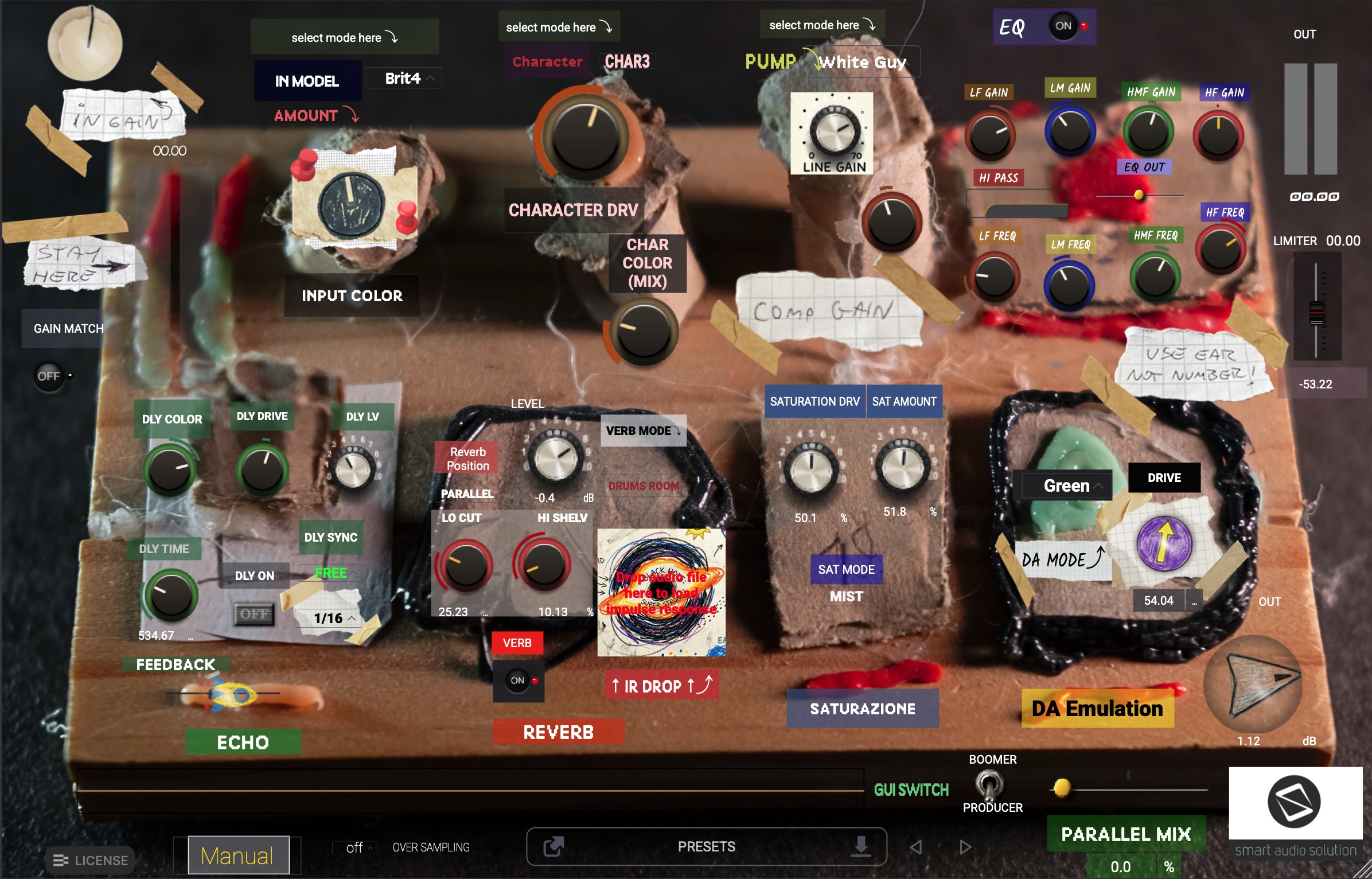
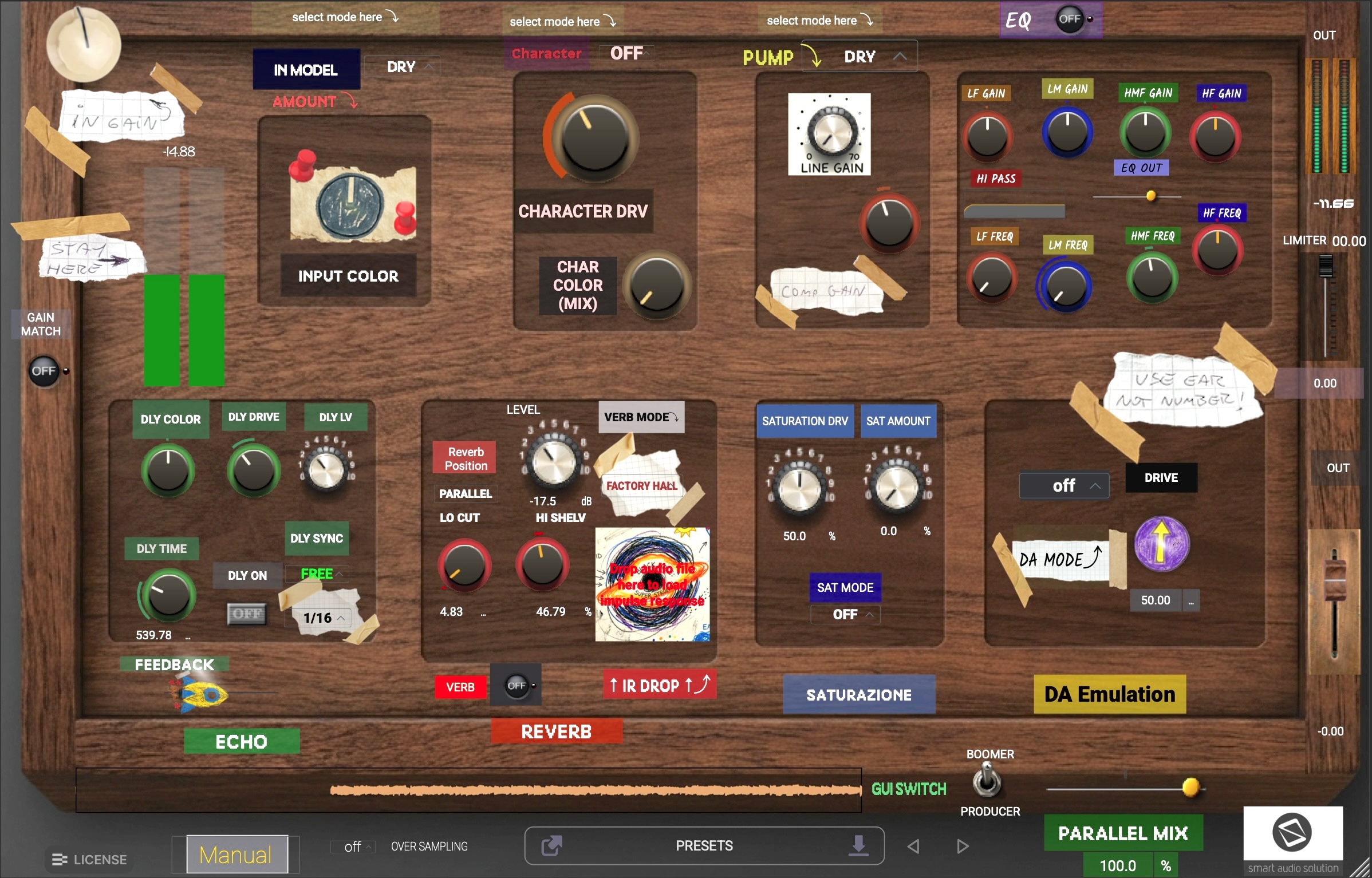
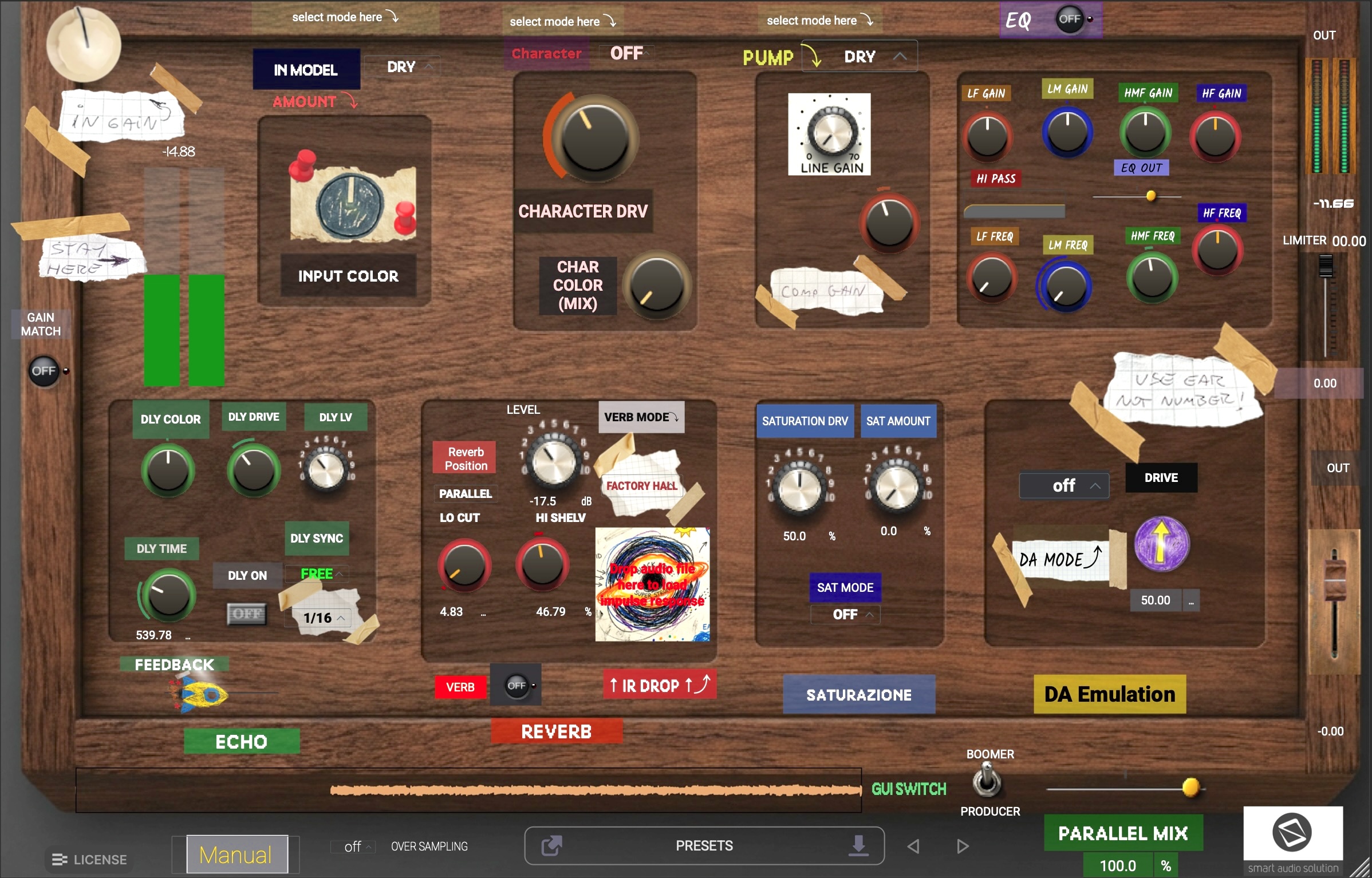
Despite this (deliberately) quirky aspect, this plugin is actually very powerful. It’s a channel strip, it’s a distortion pedal, it’s an ambience generator—yet it’s none of these things at the same time. Box Of Color can be very subtle, compressing the sound in an analog-style way, or it can function just like your favorite pedalboard setup. I have deliberately NOT included any names, specifications, or emulated brands; the world is already full of them, and I’m not about to add to the dogma. I wanted to remove all (or almost all) references so that we can get back to using our ears.
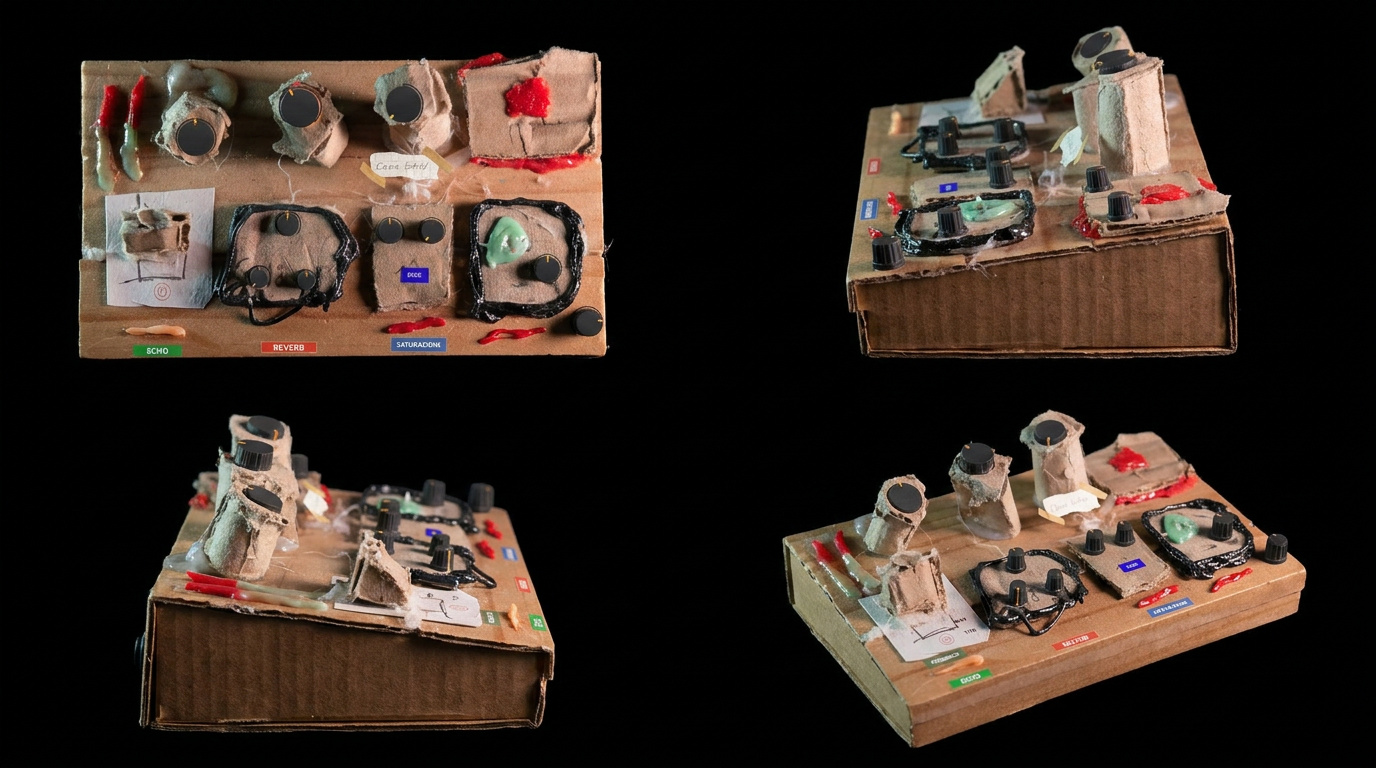
The GUI is deliberately disorienting for two reasons: first, because we’re like children playing with music, and the more we play, the more fun the music will be; second, to avoid using the mechanical part of the brain. Presenting you with irrelevant parameters forces you to search for the sound.
Don’t be fooled by appearances; the sound this tool can produce is absolutely top-notch—you’ll see!
Many Modules
A superb chain at your fingertips
The plugin consists of seven modules, and you’ll find that although they’re generally connected in series, the way they interact with each other is very musical. You’ll often find yourself adjusting the parameters at the beginning of the chain as you shape the sound.
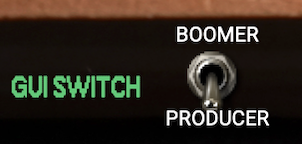
GUI Switch Button
Switch between “Boomer” and “Producer” modes.
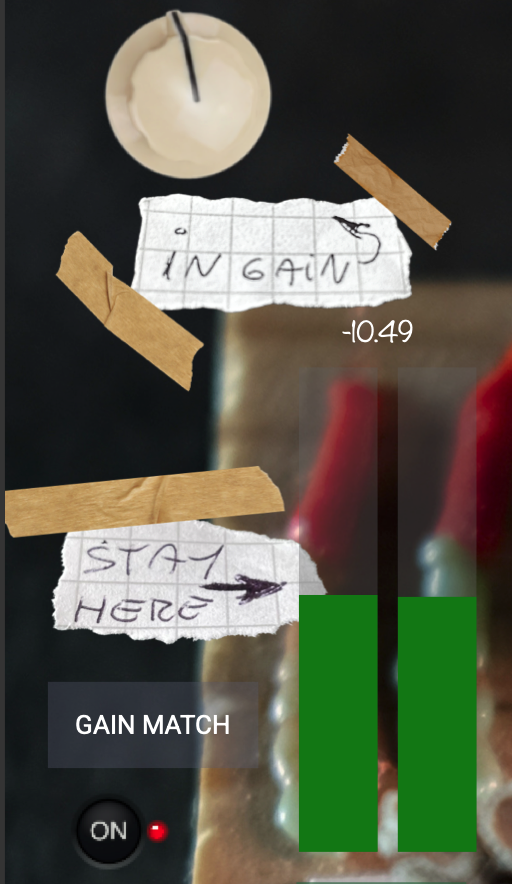
1 – Input module and level
I’m happy to be at around -18 dB … hey, I’m digital, right? So give me some headroom!
Turn the input level knob until the VU meter reaches the top of the green zone. The system has been optimized to operate between -18 dB and -12 dB. The “Stay Here” arrow is set to -16 dB, and the first yellow VU meter to -12 dB. You can, of course, exceed these levels, but if you want to get the best out of your audio chain, stay within this range. As always, trust your ears.
GAIN MATCH: Enable this if you are unsure about the level; this is an automatic gain matching feature that calculates the average between the peak level and the RMS level.
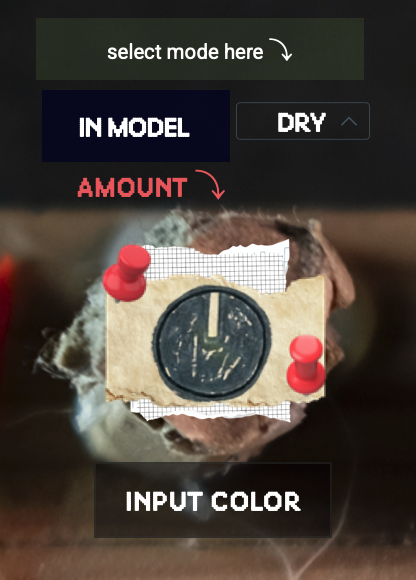
2 – Color
Start with a subtle color; use only this stage if you want to emulate a channel strip
Here are 5 input models… do you really want to ruin the magic and have me tell you what they are? Come on, no way. We’re here to use our ears and our gut, not our eyes and our brains! But I’ll give you a few clues: here you’ll find 3 emulations of British mixers—2 brands and 3 models—then an esoteric tube unit, and finally a lovely tape machine. DRY = BYPASS
3 – Character
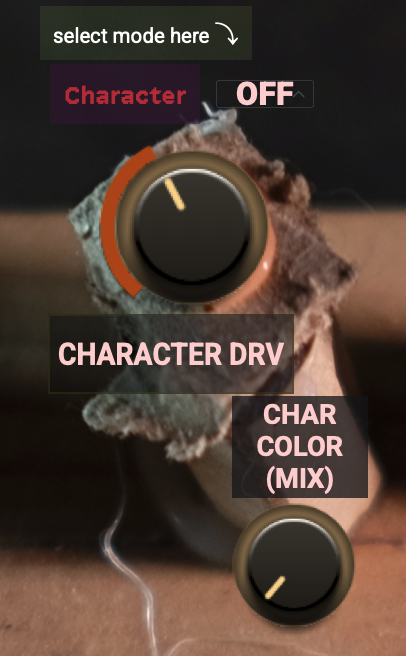
This is where things start to get interesting
5 saturation/distortion/euphoria generator models. Use the Character control to modulate the input and adjust the saturation/compression curve for this stage. Use the Color knob to set the intensity and the wet/dry percentage.
4 – Compressor
Could a compression stage be missing? Of course not
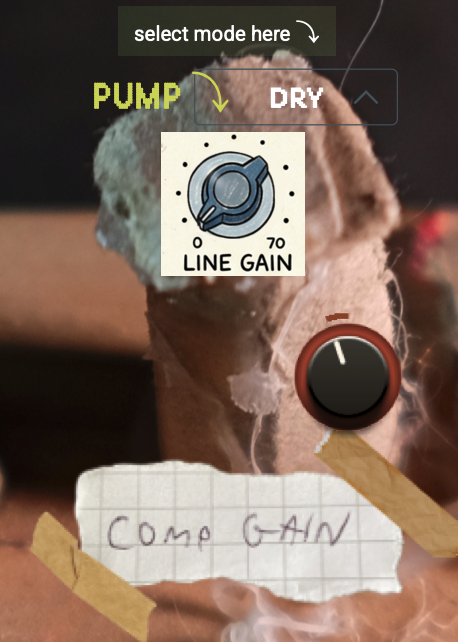
Guys: these compressors are your Swiss Army knife, and they sound absolutely brilliant (I’m biased, I know). I can tell you that the two-stage models are extremely rare and almost impossible to find (EMT and Telefunken… OK, I’ve given it away). The other two are timeless classics.
Pump: determines how hard the compressor works. Comp Gain: compensates for your experiments with compression. Be grateful for it and don’t overdo it. Or just go ahead and do it—you’re adults, after all.
5 – Eq
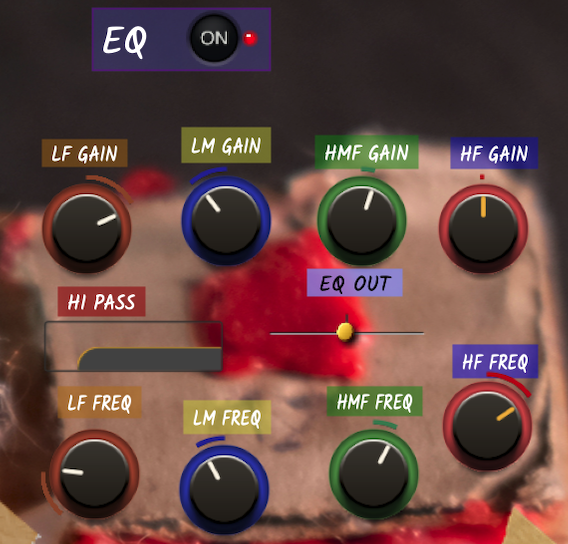
Do I really have to explain what’s going on here? Come on…
As you’ve probably realized, the whole point of this playful little platform is to use your ears, so I’ve been teasing you a bit, but maybe one day you’ll thank me for it. There are NO numerical readings of ANY kind—no gain, no frequency, and so on. Just turn that darn knob, and if it sounds good… well, that’s it. We can treat ourselves to a bit of this every now and then, can’t we?
6 – Delay
A simple delay can have a devastating effect when placed in the right audio chain
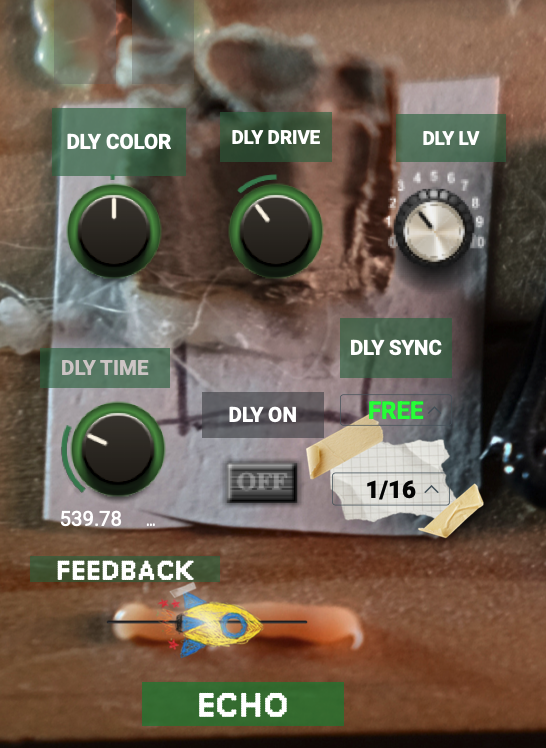
DLY COLOR: I can’t quite remember exactly what it does, but I think it makes the sound brighter or darker. Experiment with it in a musical context and find the right setting for the sound you’re looking for.
DLY DRIVE: a saturator after the filter and before the delay.
DLY TIME: When the delay is unlatched from the grid (DLY SYNC), this knob allows you to freely create tight slapbacks or off-beat delays.
DLY SYNC: 1/1, 1/2, 1/4, 1/8, 1/16, triplet, or straight-
Feedback: Why a spaceship? To infinity and beyond—the feedback will take you home
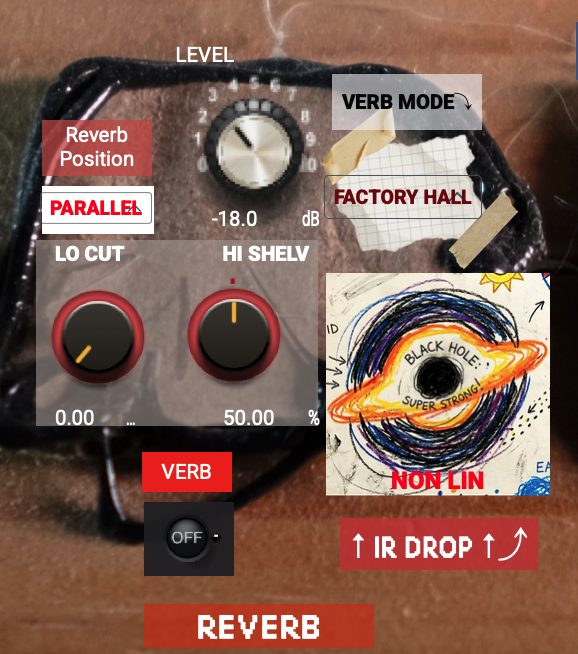
7 – Reverb
Are we sure we should just call them “reverbs”?
Here, I’ll continue to deliberately avoid telling you what happens in this module, because that’s part of the fun of shaping the sound. A TIP: Experiment with the reverb model while listening to the entire track with the next module engaged if you want to get creative, especially with synths and unusual vocals. A low-cut and high-shelf EQ will help you position the sound in the mix.
POSITION: Lets you insert the delay before the reverb, or have them run in parallel.
IR DROP: I know you’ll love it and will do your best to thank me for this feature: from here, you can add your own IR to give your track an even more personalized touch.
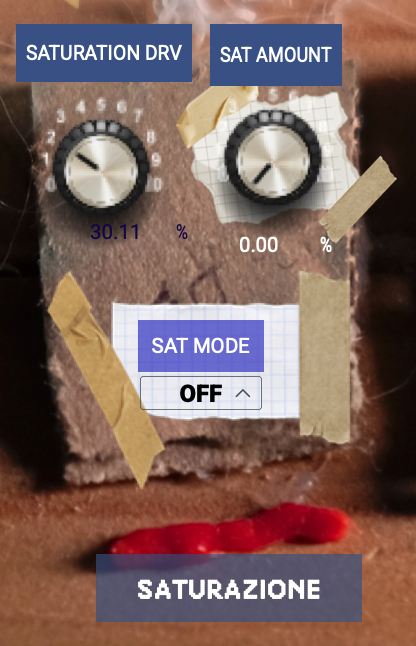
8 – Saturation
“Saturazione” stands for “Saturation”… a bit of national pride, given that back in the 1960s, Italy was among the best at making mixers and delay units
This stage is magical and dangerous—if you want your individual tracks to really stand out in the mix… go for it! This stage acts as a saturator, compressor, and expander. You no longer need those guitar pedal chains you’ve been using up until now! Saturation Drive determines how hard the stage works, while Amount is a dry/wet control.
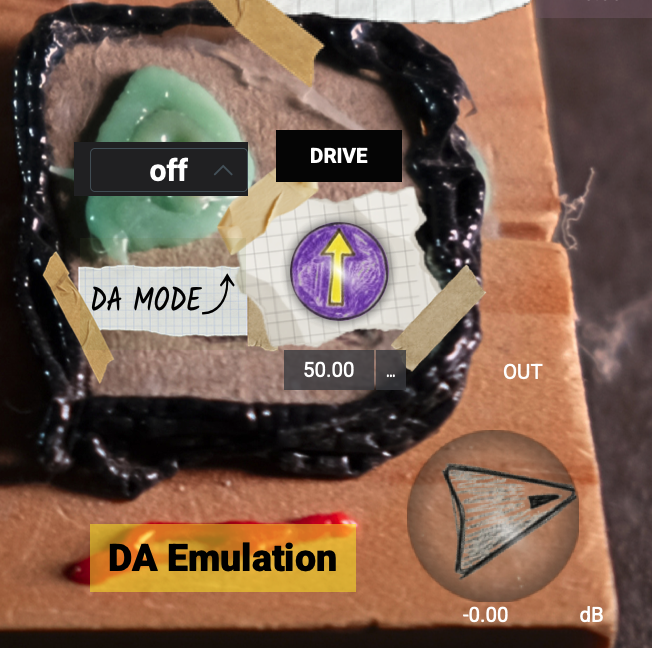
9 – DA Conversion
Hey, buddy: how many of them let you get that authentic ’90s sound?
I’ve made an exception here: the names will help you understand what the plugin’s output algorithms are referring to. This stage is unusual but extremely useful in certain contexts.
A TIP: If you want to recreate that ’90s hip-hop sound—and more besides—use the Input Color and DA Conversion stages, bypassing the others. You’ll thank me later.
MIX DRY/WET Overall
Use this for a more subtle sound design
OUTPUT
Guys, we’ve done it—we’ve reached the end.
Output gain: You can adjust the numerical value to match the input level with the post-processing output level. COME ON, GUYS, BE SERIOUS: Always match the gain; otherwise, your ears will play tricks on you.
As the final stage, there is also a limiter, which is not intended for regular use but only as a safety net at the output before the signal is sent back to your DAW.
Sound Examples
Each example includes two tracks: Processed and Dry Sound. Playing a track automatically stops any other track that is currently playing. The “Drum kit – exciter 3” example from the original page is not included here.
Fat Drums – ULTRA FAT
Fat Drums – CALL ME CHAD
Fat Drums – DISTORTION
Drum kit – Exciter 1 (credits: Ermanno Milione, Lorenzo Annarumma)
Drum kit – Exciter 2
Synth in a contest (credits: Ermanno Milione, Lorenzo Annarumma)
Drums in a contest (credits: Ermanno Milione, Lorenzo Annarumma)
SYNTH COLOR 1
SYNTH COLOR 2
ANOTHER DRUM EXAMPLE
DAW Support
AAX, AU, VST3 versions — 64-bit only
- Ableton Live 11+ (Mac & PC: AU, VST3)
- Bitwig 4+ (Mac & PC: AU, VST3)
- Cubase 13+ (Mac & PC: VST3)
- Digital Performer 11+ (Mac & PC: AU, VST3)
- FL Studio 23+ (Mac & PC: VST3)
- GarageBand 10+ (AU)
- Logic Pro 10+ (AU)
- Pro Tools 12+ (Mac & PC: AAX)
- Presonus Studio One 5+ / Fender Studio (Mac & PC: AU, VST3)
- Reaper 6+ (Mac & PC: VST3)
- Cakewalk Next by BandLab (PC: VST3)
AAX is a trademark and software product of Avid Technology. Audio Units is a trademark and software product of Apple Inc. VST3 is a trademark and software product of Steinberg Media Technologies GmbH.
System Requirements
AAX, VST3, and AU versions included — 64-bit only (Mac / PC)
- macOS 10.15 or later (Intel native | ARM native)
- Windows 10
- At least 4GB of RAM; 16GB recommended
- At least 200 MB of free disk space (OS drive)